Smart Caddie Service
Watch App

Elevated Golf Experience
with the SmartwatchA Smart Golf Solution
for both Android and iOS
 Precise, detailed
course-strategy tools
to elevate your game Free trial available
upon sign-up Expanded usage with
multi-device support

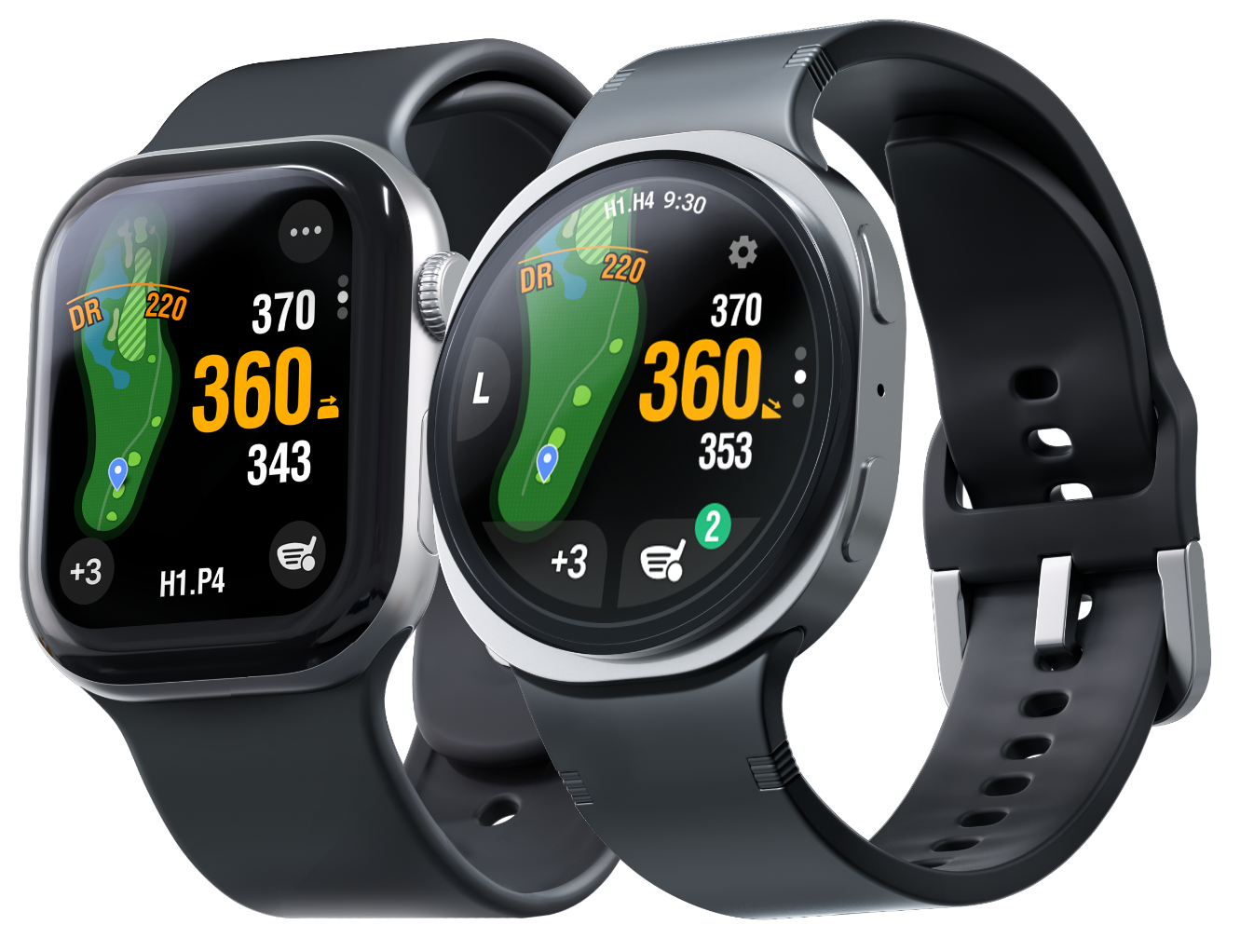

Smart Caddie enhances and manages golf rounds,
allowing golfers to play anywhere in the world.




Function
Smart Caddie: Powerful, fully-loaded Features
Dynamic
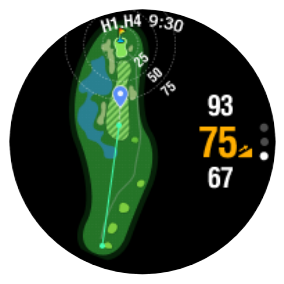
Hole ViewAdaptive Map View
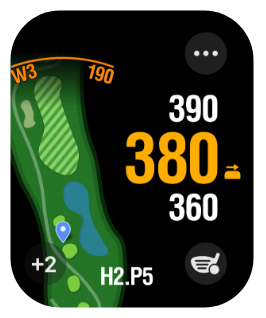
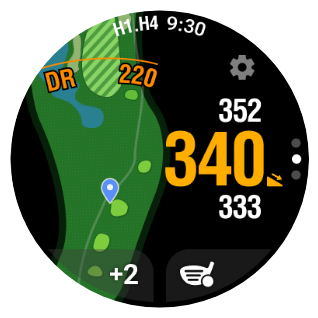
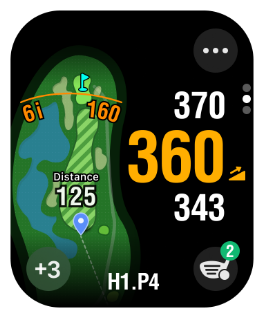
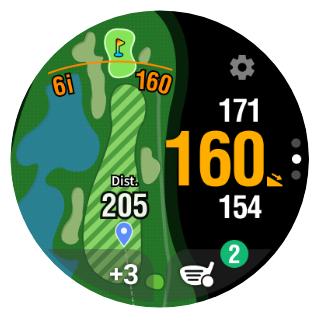
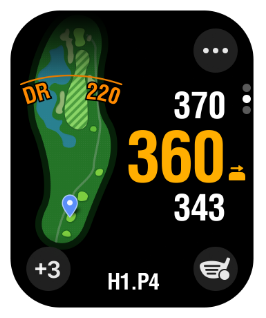
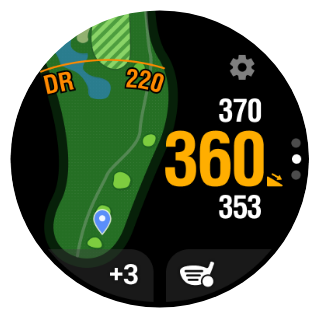
The hole map automatically zooms and smoothly adjusts its orientation based on your location, allowing you to view green-approach strategies more intuitively.


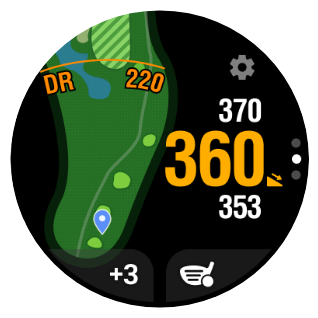
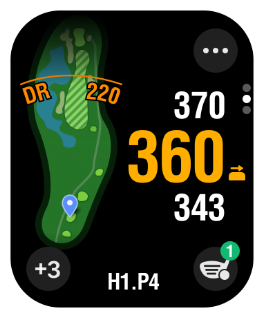
Shot Distance Mode
Real-time shot distance display
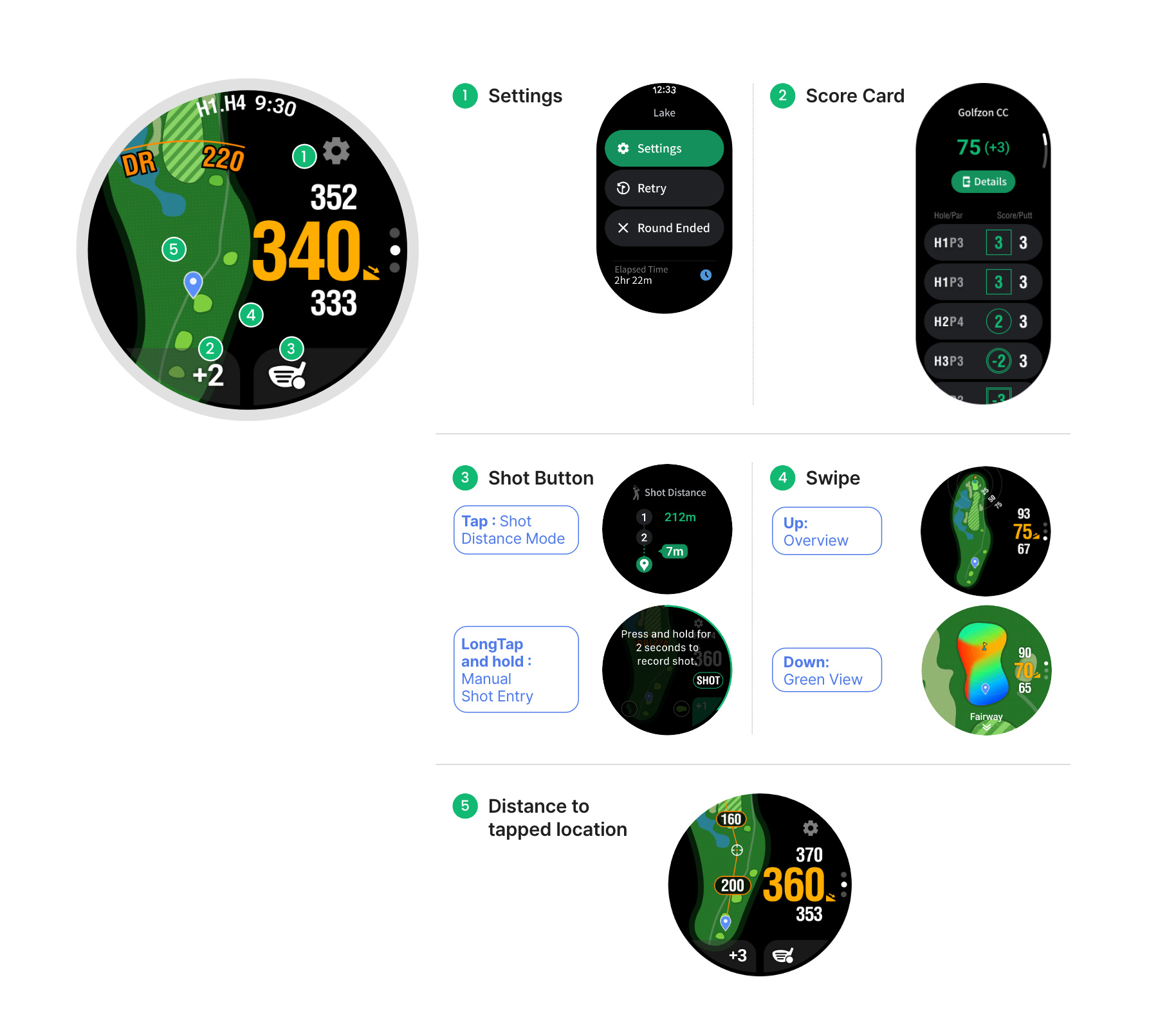
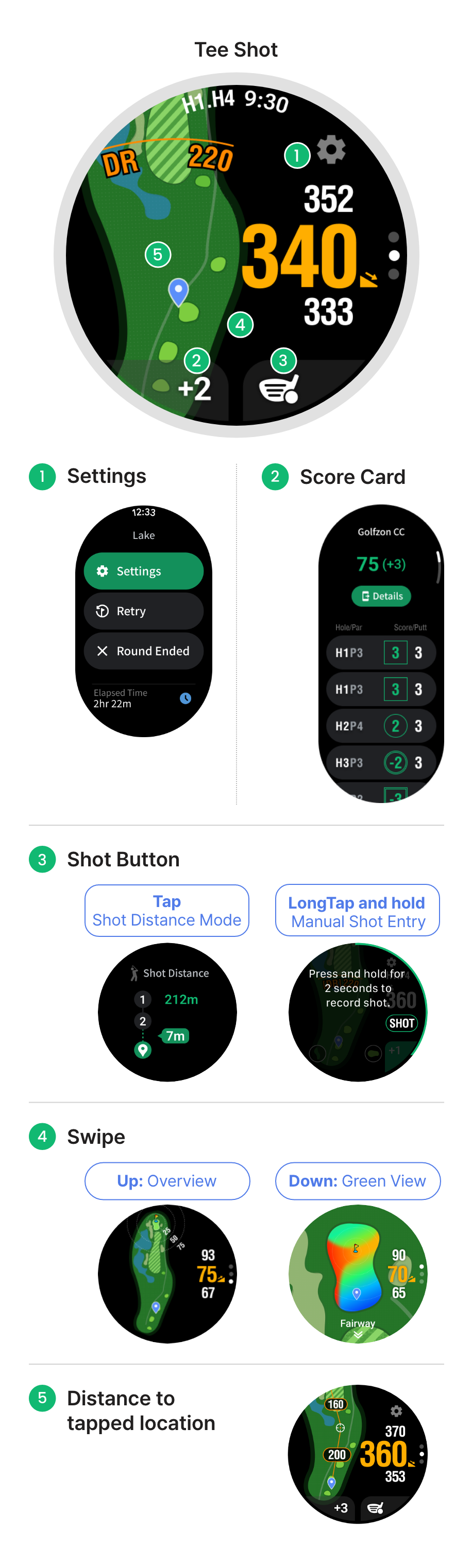
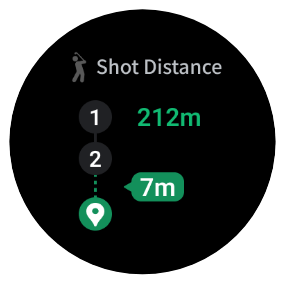
The distance from your previous shot location to your current position is shown in real time at the bottom-right of the hole map, allowing you to accurately measure your shot distance as you move toward the ball.
Find your ball
By matching your real-time walking distance with your average distance for each club, you can easily find your ball.Example: If your average driver distance is 220 m, look for your ball near the 220 m marker in Shot Distance Mode.
Detailed Score Tracking
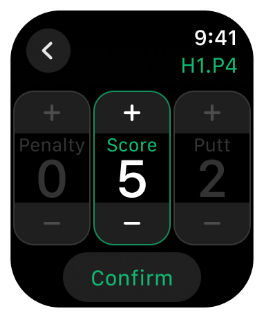
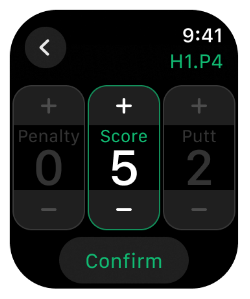
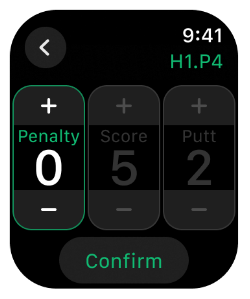
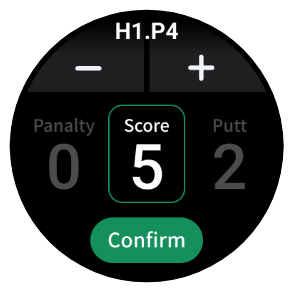
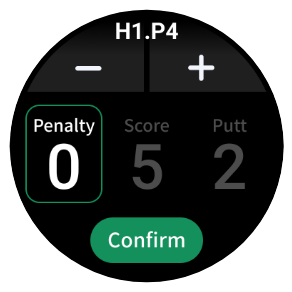
Added penalty input fields
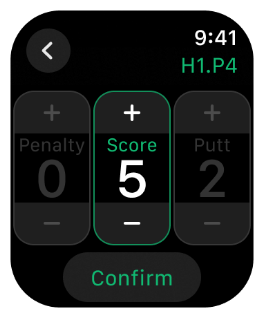
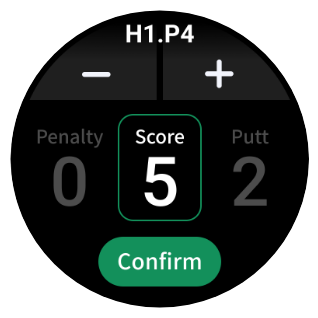
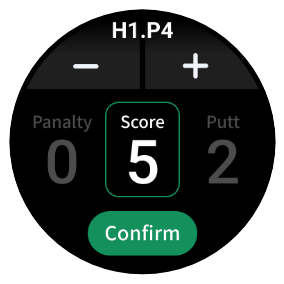
New penalty input fields have been added for more accurate scoring.
Precision score recording
Record your scores more precisely by adding penalty strokes such as out-of-bounds or hazard penalties.
Automatic score saving
After reviewing or editing your score, simply tap the Back button and your score will be saved automatically.
Improved Battery Performance
Optimized internal design
An optimized internal architecture improves overall battery efficiency.
Extended battery life
Reduced background energy consumption extends battery life during app usage.
SMARTVIEW
Watch APP Interface
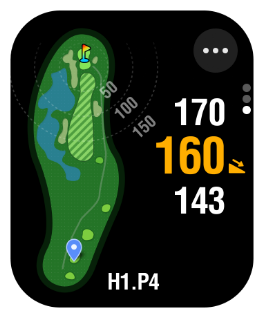
Distance to tapped location
Check Distance to tapped location
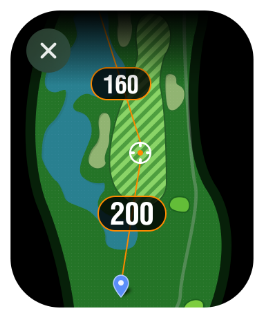
Tap any point on the hole map to view the distance from your current position to the selected point, along with the remaining distance to the green.
Plan tee shots with landing zones in mind
Use distance measurements to plan tee shots based on your intended landing area.
SmartView
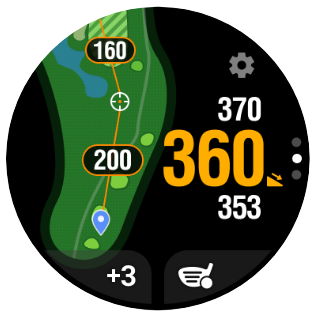
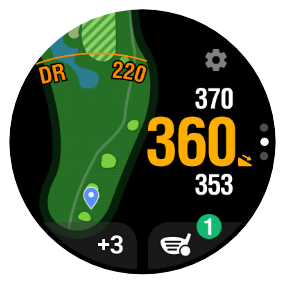
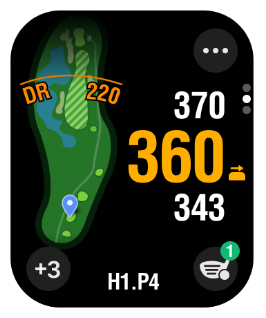
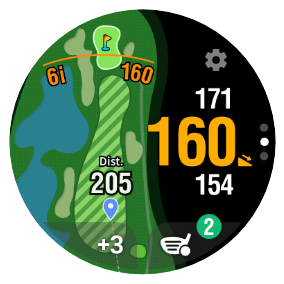
Dynamic screen display
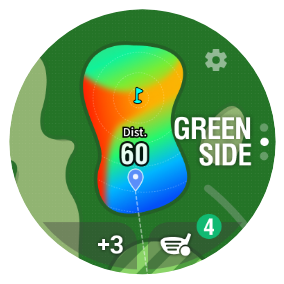
A dynamic interface lets you view the hole map and key information at the same time.
Precise course management
The map automatically zooms in and out based on your current location, allowing for more precise course management.
Tee Shot
Fairway
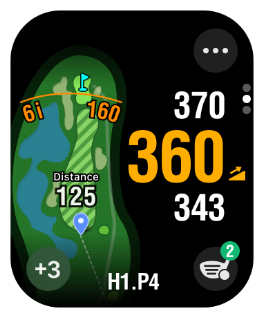
Approach
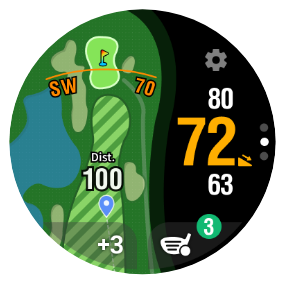
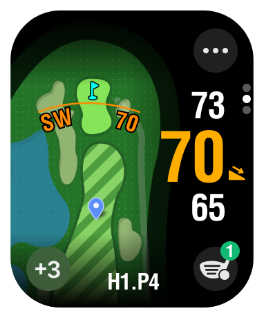
On the Green
Auto Shot Tracking
Auto Shot Recording
The shot count is displayed next to the shot button, and your shot locations are automatically recorded during the round.
Shot Button / Distance Check
After a shot is detected, the Shot button changes to a Distance button, allowing you to instantly check the distance to your next shot position.
Score Editing & Saving
Recorded scores can be edited and saved through the score pop-up that appears at the end of each hole.
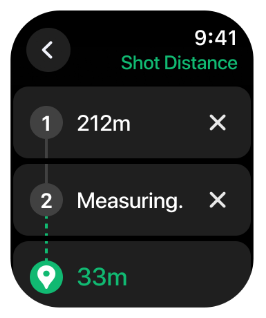
View All Shot Distances
During a round, tap the SHOT button location to view the distances of all shots for the current hole.
Coming
Soon
Shot Count
Shot Location Tracking
Shot Distance List
Auto Shot Score Input Pop-up
Function
Smart Caddie: Advanced Features
Supports Elevation for 40,000 Courses
Over 40,000 Courses in 170+ Countries
Accurately incorporates course layouts and elevation data for more than 40,000 golf courses across 170+ countries
uphill downhill
 flat terrain
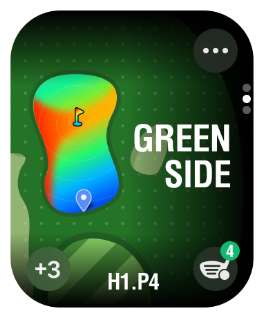
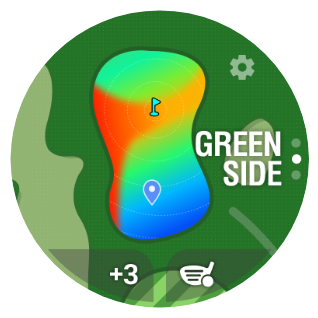
Green Undulation
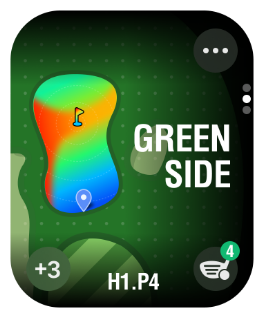
Green Map Targeting
Plan your approach with clear and intuitive green undulation maps.Selected courses are supported in South Korea, Japan, the US, and the UK.
Automatic Score
Input Pop-upAutomatic Score Input & Recording
The score input screen automatically pops up after each hole for easy recording and management.
A.I. Voice Guidance
Provides information through voice guidance
Provides voice announcements of hole information, par, and distance to the green when you arrive at the tee box.

Golf course search
available indoorSmart Converging Technology
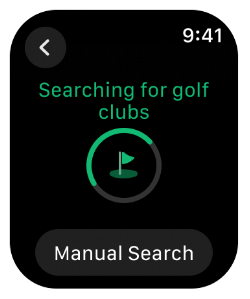
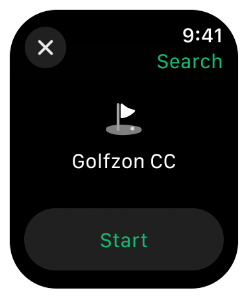
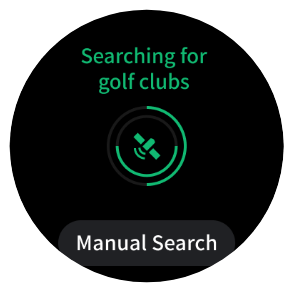
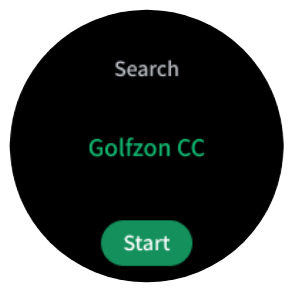
With Smart Caddie's SCT (Smart Converging Technology), you can search for golf courses even indoors, such as in a clubhouse.

Watch APPSmart Caddie: Usage Notes
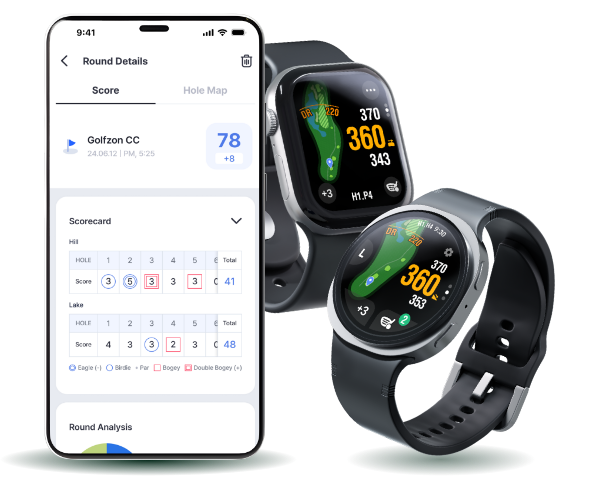
 Recommended devices: Apple Watch Series 9 or later / Galaxy Watch 4 or later
- Minimally supported OS: watchOS 10.6 or later / Galaxy Watch OS no restrictions
- App features and usage may vary depending on the model of your smartwatch.